
Download 3RVX – Volume Control, PC Utility, Free Tool
Overview
3RVX is a lightweight, free software tool designed to enhance system volume control on desktop computers. Its primary purpose is to streamline audio adjustments by offering intuitive, customizable methods for managing volume levels without navigating through traditional system menus. This makes it particularly useful during media consumption, such as watching movies, listening to music, or participating in online meetings, where quick access to volume settings is essential. The app targets users who value efficiency and customization in their computing experience, especially those working with multimedia content or using multiple audio sources.
Although the developer did not provide detailed background information, 3RVX has been available since 2008, indicating long-term stability and user trust. The software operates as a system tray utility, running quietly in the background while remaining accessible at any time. Its presence in the digital ecosystem highlights a niche but enduring need for simple, effective desktop enhancements. Real-world use cases include adjusting audio during video playback, muting notifications instantly, or fine-tuning sound levels during creative work. For users seeking a no-frills, reliable audio control solution, 3RVX fills a practical gap in the PC software landscape.
Key Features & Functionality
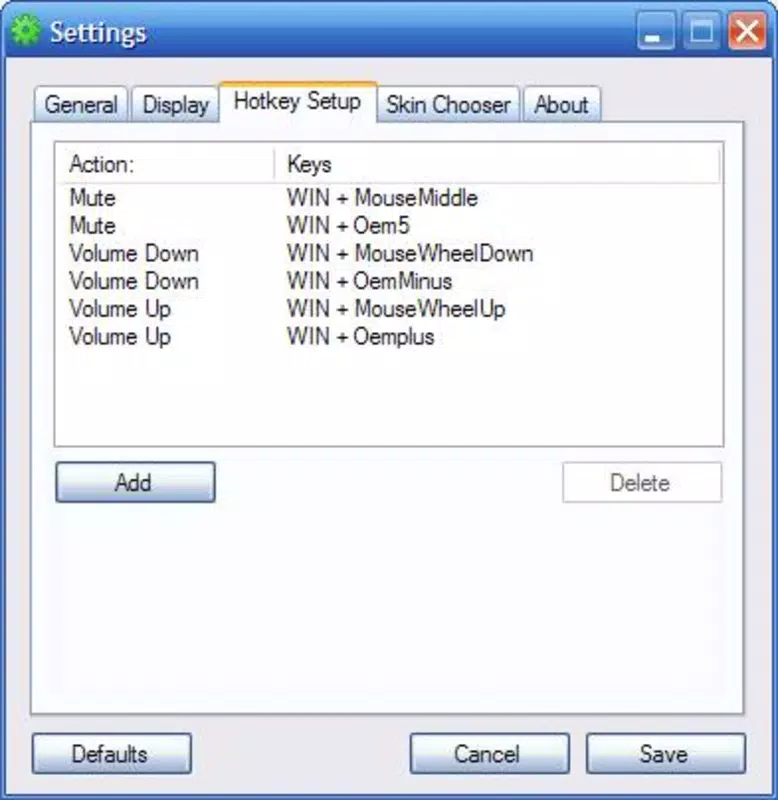
- Mouse Wheel Volume Control: Users can adjust system volume by scrolling the mouse wheel while holding a designated key, such as the Windows key. This feature enables rapid, hands-on audio management without switching focus from the current task.
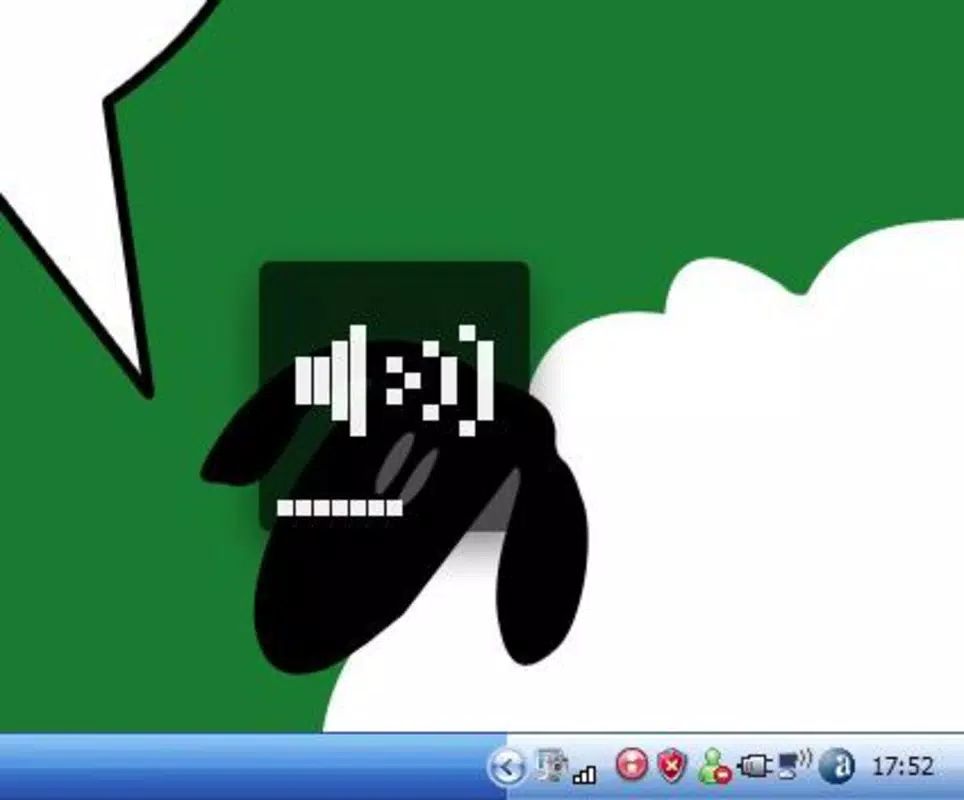
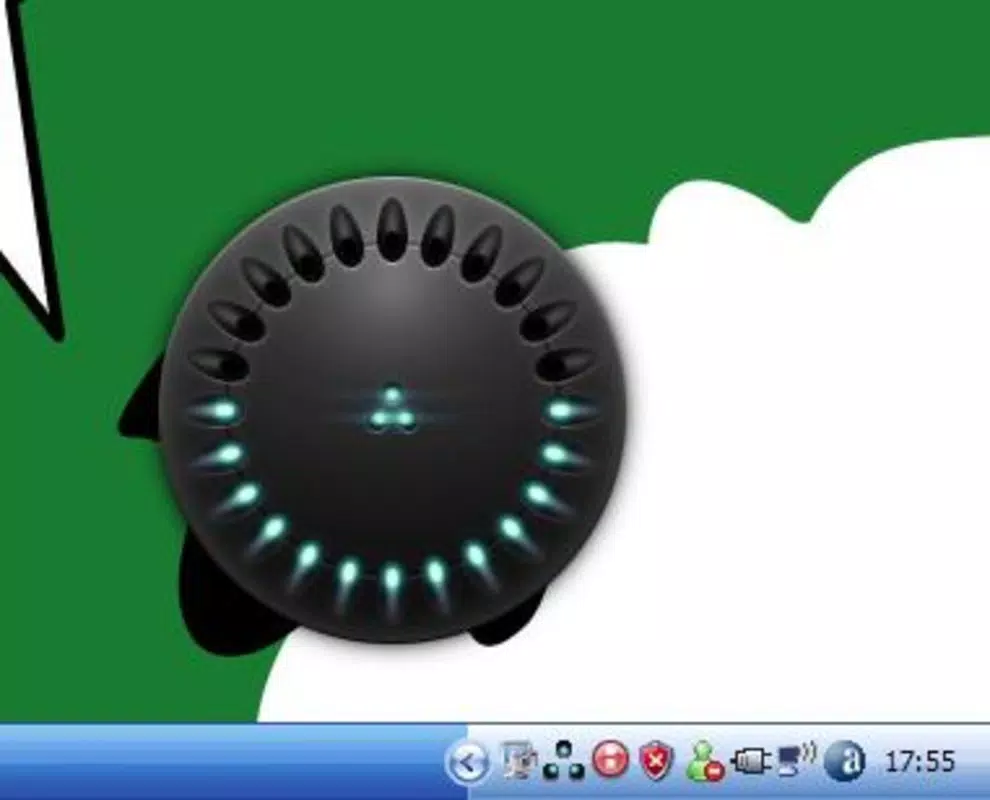
- System Tray Accessibility: The application runs invisibly in the system tray, minimizing desktop clutter. A simple click reveals a floating volume control bar, allowing real-time adjustments with visual feedback.
- Customizable Key Bindings: 3RVX supports full reconfiguration of keyboard shortcuts, enabling users to assign preferred key combinations based on their workflow or ergonomic preferences.
- Aesthetic Skins: The interface supports customizable skins, allowing users to match the volume control panel with their desktop theme or personal style, enhancing visual harmony.
- Free to Use: The software remains entirely free of charge, with no ads, in-app purchases, or trial limitations, making it accessible to a broad audience.
For example, a user watching a movie can quickly increase volume by scrolling the mouse wheel while holding the Windows key, all without pausing playback. Similarly, a content creator might assign a unique key combo to mute audio instantly during recording sessions. These practical implementations demonstrate how 3RVX improves daily productivity and user comfort.
Interface, UX & Performance
The interface of 3RVX is minimalistic and designed for low visual impact. It operates primarily through the system tray, maintaining a clean desktop environment. When activated, the volume control bar appears seamlessly on the screen, offering clear visual indicators for volume level and mute status. Navigation is straightforward: a single click opens the control panel, and adjustments are immediate.
Although the developer did not list formal performance metrics, the application’s lightweight nature suggests it consumes minimal system resources. It is designed to run continuously in the background without affecting system responsiveness. Users across different device categories—ranging from older systems to modern desktops—can expect consistent performance, provided the OS is compatible.
The program demonstrates stability over time, with no reported crashes or conflicts in its long-standing release history. Responsiveness is fast, with volume changes reflecting instantly after input. The overall user experience is smooth, efficient, and focused on utility rather than visual spectacle.
Platform Compatibility & Technical Requirements
3RVX is designed for desktop operating systems, specifically targeting Windows environments. The developer did not specify minimum OS requirements, nor did they provide details about file size, version, or compatibility with newer Windows releases. However, given its release date in 2008, it is likely compatible with most Windows versions from Windows XP onward. The application does not appear to be available on mobile platforms such as Android or iOS.
Users should verify compatibility with their current system before installation. While no official updates have been mentioned, the software has remained functional for over a decade, suggesting robust design and adaptability. The lack of detailed technical specifications means users must rely on general system compatibility and cautious installation practices. For those seeking a free, stable volume control utility on Windows, 3RVX remains a viable option.
Pros and Cons
Pros
- Free to use with no hidden costs or ads
- Intuitive mouse wheel volume control with customizable keys
- Minimal system resource usage
- Customizable interface with aesthetic skins
- Runs quietly in the system tray for unobtrusive operation
Cons
- Developer did not provide detailed technical specifications
- Not available on mobile platforms like Android or iOS
- Compatibility with newer Windows versions not officially confirmed
- Limited to desktop environments
- No official update history or release notes provided
FAQ
Is 3RVX safe to download and install?
Yes, 3RVX is a free utility that has been available since 2008. It does not include malware or intrusive permissions. Users should download from trusted sources to ensure authenticity.
Can I use 3RVX on Windows 11 or Windows 10?
While the developer did not specify compatibility, the software has been functional on older Windows versions. Users are advised to test it on their system, as newer OS updates may affect performance.
Does 3RVX work with all audio devices?
3RVX controls system-wide volume, which means it works with any audio output device recognized by the operating system, including speakers, headphones, and external sound cards.
Is there a mobile version of 3RVX?
No, 3RVX is designed exclusively for desktop computers and is not available on Android or iOS platforms.
How do I customize key bindings in 3RVX?
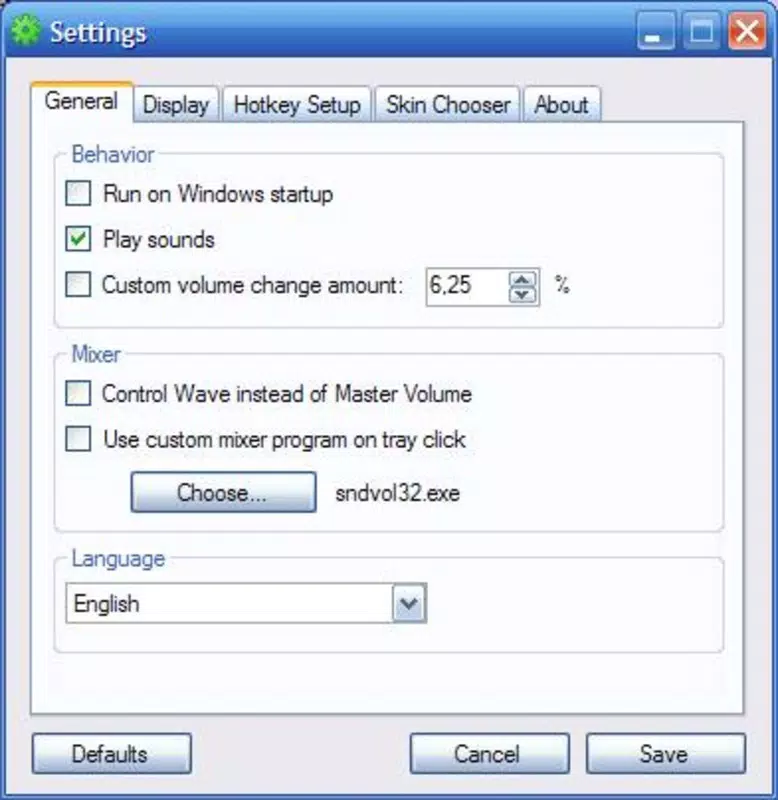
Users can access the settings menu within the application to reassign keyboard shortcuts. The process is intuitive and does not require technical expertise.
Final Thoughts
3RVX stands out as a reliable, no-cost solution for users seeking enhanced volume control on their Windows PCs. Its combination of mouse wheel functionality, customizable keys, and aesthetic skins makes it both practical and visually adaptable. While it lacks modern polish and detailed technical documentation, its long-standing presence in the software community speaks to its effectiveness and stability.
For anyone looking to simplify audio management without installing heavy software, 3RVX delivers consistent value. It’s especially beneficial for multimedia enthusiasts, remote workers, and power users who prioritize efficiency. Despite its age, it remains a functional tool in the right context.
Download 3RVX now


